FactsDroid - Your Universal Knowledgebase
At first, we install the app on an Android device. On opening it, we get a security warning due to the rooted device, and the Random Fact button is also disabled.
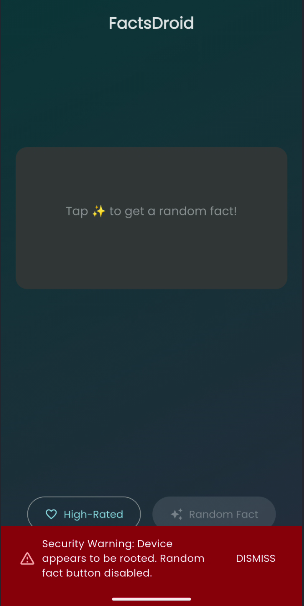 Opening app on a rooted device
We open the application in jadx and go to Resources > lib > arm64-v8a. There are two files, libapp.so and libflutter.so, which confirms that the app is built with the Flutter framework.
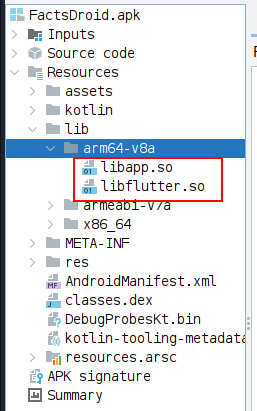 Opening FactsDroid.apk
Then, we disassemble the app with blutter.
1
python blutter.py ~/FactsDroid.apk/FactsDroid/lib/arm64-v8a/ ~/FactsDroid.apk/FactsDroid/lib/arm64-v8a/output
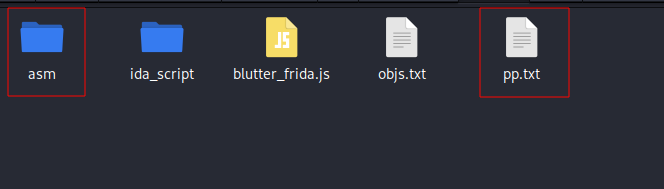 Content generated by blutter on output directory
Looking for the root keyword inside pp.txt, there is a clear hint that _checkRootStatus is being called in facts_droid/main.dart.
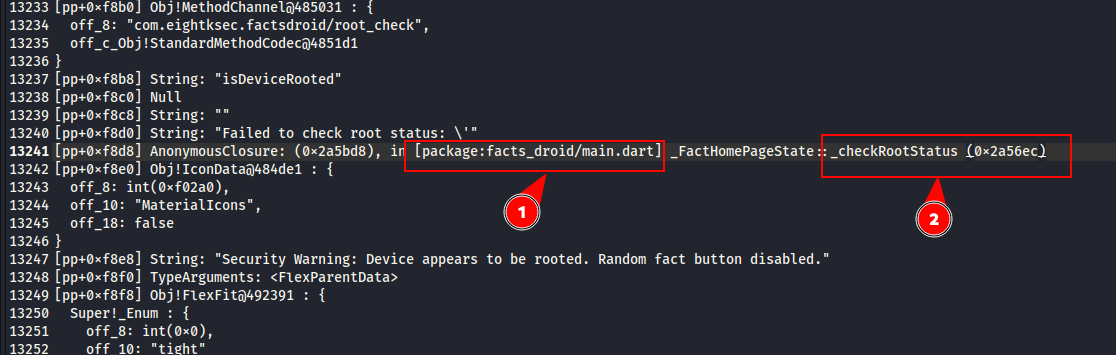
On analysing _initState, it is calling _checkRootStatus().
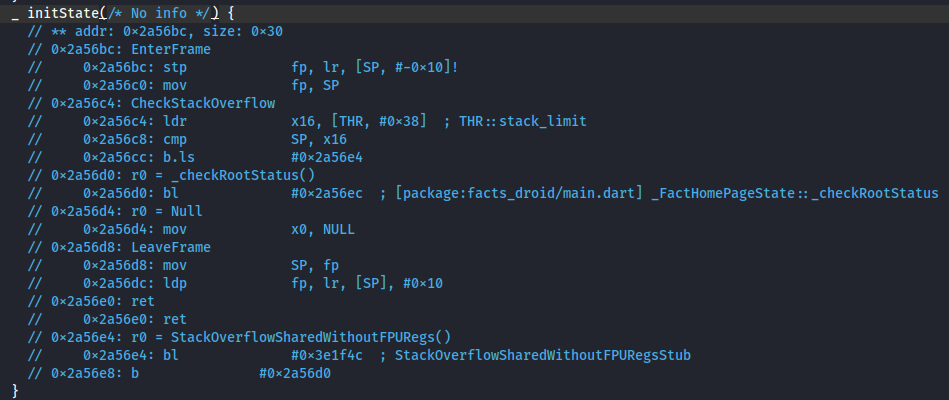
Just after _initState, there is __checkRootStatus.
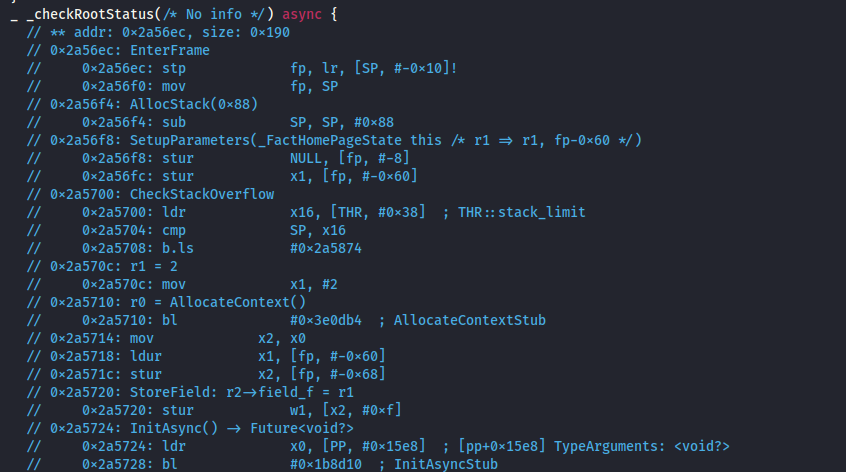
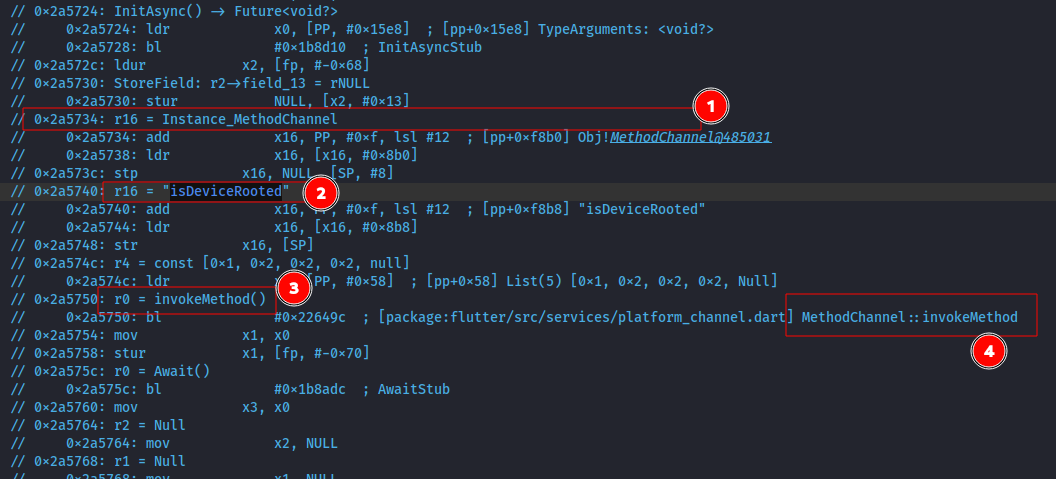
On analysing the _checkRootStatus method, we find that it uses a channel to invoke the isDeviceRooted method.
So, we open the application in jadx-gui and search for the isDeviceRooted method.
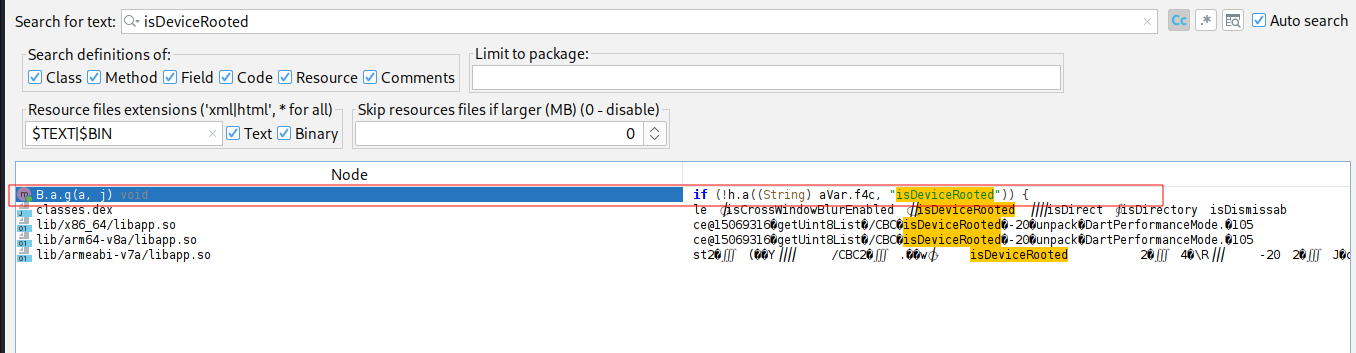
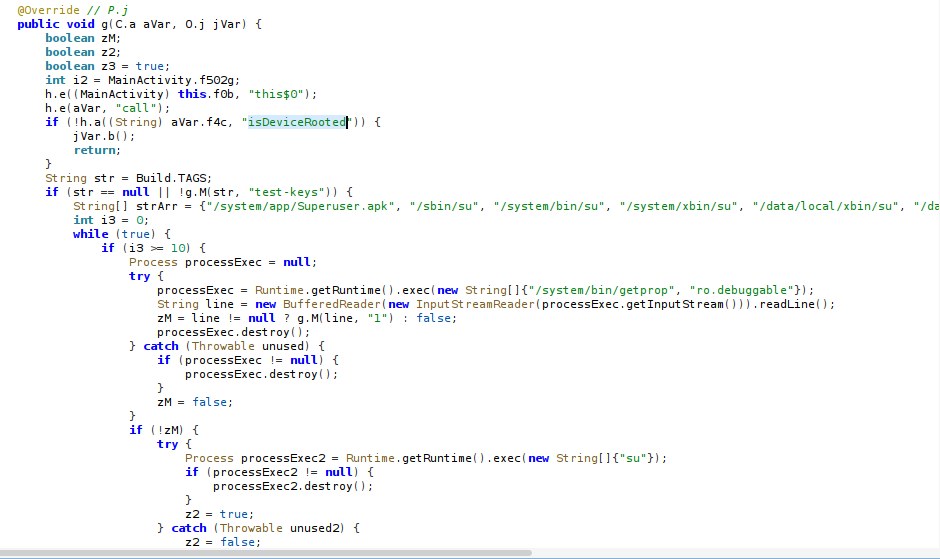
Here, it initializes boolean z3 = true;, assuming the device is rooted. If each root-checking test case passes, it updates z3 to false and returns the z3 value.
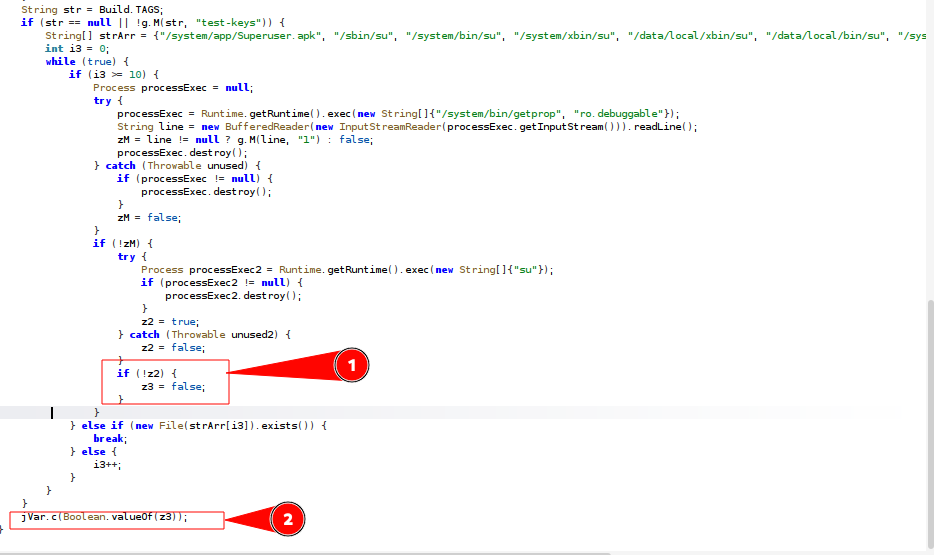 this function is returning value of z3 and its updated to false only after passing all the test cases.
Then, we tried to patch this function to return false, but the function’s return type is void, so we can’t simply implement it to set the return value to false.
1
2
3
4
5
6
7
8
9
10
Java.perform(function() {
    var HandlerClass = Java.use("B.a");
    HandlerClass.g.implementation = function(methodCallObj, resultObj) {
        console.log("[*] Bypassing root check...");
        var Boolean = Java.use("java.lang.Boolean");
        var falseObj = Boolean.valueOf(false);
        resultObj.c(falseObj);
        return;
    };
});
Start the app by spawning it with the above frida script.
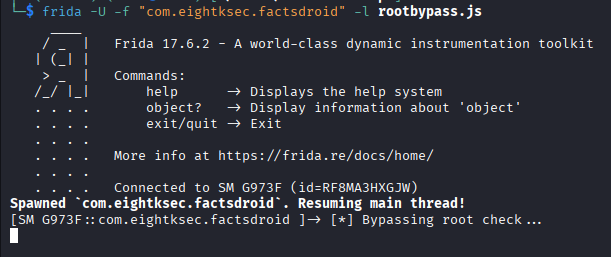
We still get this error.
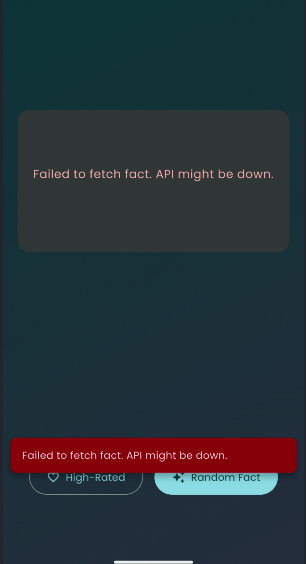
Since our goal is to intercept traffic, we pasted a frida script into the frida REPL, copied from https://github.com/hackcatml/frida-flutterproxy/blob/main/script.js, updating the IP and proxy port to patch libapp.so and redirect traffic to our burpsuite.
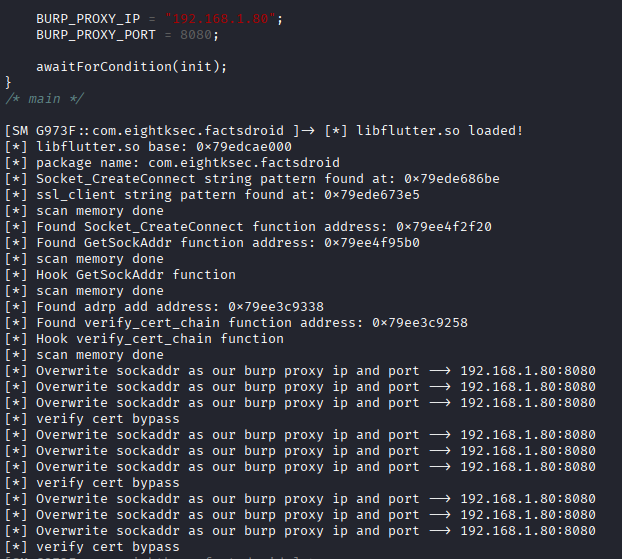
Now, on clicking Random Fact again, we are able to intercept the traffic in burpsuite.
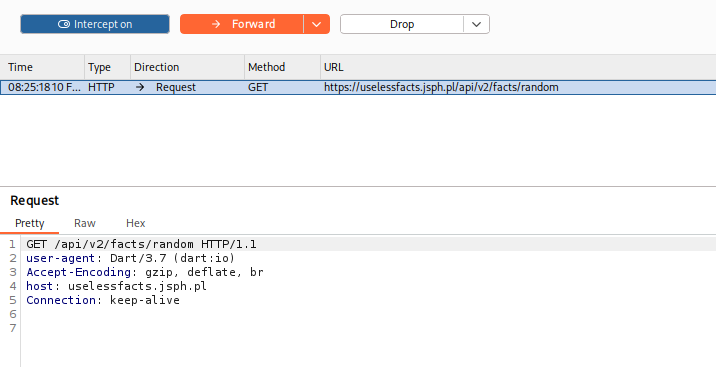 Intercepting traffic in burpsuite.
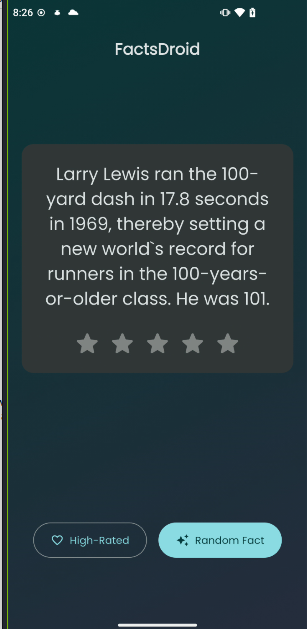 Facts are loaded on app successfully.
This way, we achieved the goal of our FactsDroid challenge.